
s.id for Event Organizers
Simplify event logistics. Registration links, digital guides, and QR code feedback forms.

- Event Registration
- Ticket Sales
- Event Schedule
- Speaker Bio
What you can prepare at each stage of the event.
Three moments that most often make attendees ask questions. Each card covers the problem, how to set it up, and the number you can check afterwards.
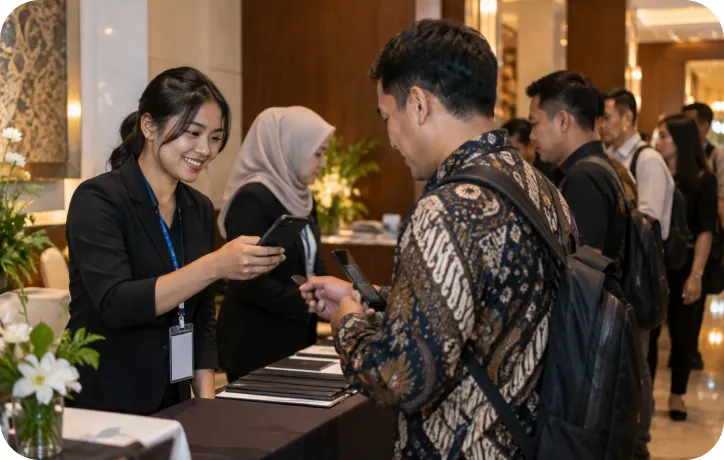 Before the event
Registration that is easy to share
A long form URL is hard to print on posters and often gets cut off in captions. One short alias sends every channel to the same place.
- 1Create the registration form
- 2Shorten it to s.id/[daftar-expo]
- 3Put the QR Code on posters and flyers
- Forms
- Shortener
- QR Code
Check the visits and form answers per day.
 During the event
A rundown that is always up to date
A schedule that changes on the day does not need to be reprinted. Attendees scan one QR Code in the lobby, and you can update its contents at any time.
- 1Build a microsite with the rundown
- 2Add speaker profiles and a map
- 3Print the QR Code for the lobby and tables
- Microsite
- QR Code
Compare visits from the QR Code and direct links.
 After the event
Feedback while it is still fresh
The most honest responses come before attendees leave. Show the QR Code on the closing slide, then send the materials to everyone through the same link.
- 1Create the feedback form
- 2Show the QR Code on the closing slide
- 3Share the materials link after the event
- Forms
- QR Code
- Analytics
Summarize the answers and export the table for your report.
Example link set for one event.
The same alias pattern makes it easier for the team to share and check links again.
| Link | Opens | Product |
|---|---|---|
| s.id/ | Registration form | Forms |
| s.id/ | Microsite rundown | Microsite |
| s.id/ | Feedback form | Forms |
| s.id/ | Materials page | Microsite |
Popular use cases for this industry
Start with the workflows businesses in this sector use most often with s.id.
- Manage Event Registration & Check-inFrom invitations to check-in, manage every link for your events. Create landing pages, track RSVPs, and generate QR codes for tickets.
- Create & Share Digital Wedding InvitationsCreate elegant digital invitations, manage RSVPs, and share event details easily using s.id.
- Track Marketing Campaign PerformanceTrack every click, measure campaign performance, and optimize your marketing ROI with s.id link management tools.
Features for Event Management
- Short LinksCreate short, branded links for your campaigns
- QR CodesConnect print and in-person journeys to s.id links
- MicrositesBuild landing pages without coding
- AnalyticsTrack clicks, locations, and device data
- Custom DomainsUse your own domain for branded links
- Team CollaborationManage links with your business team
Frequently asked.
Still unsure? Ask our team at helpdesk@s.id.
Do attendees need to install an app?
Can the rundown be changed after the QR Code is printed?
How do I know which channel is running?
Can it be used for a small event?
Industri Lainnya
- s.id for Non-Profit OrganizationsManage donation links, volunteer signup forms, and awareness campaign pages in one free platform. Track performance and grow your impact with s.id.
- s.id for F&B BusinessesCreate digital QR menus, accept contactless orders, and manage all your restaurant or cafe links in one platform, perfect for Indonesia's F&B.
- s.id for Schools & UniversitiesCentralize all your educational resources with smart links. Share assignments, course materials, and schedules with students and parents in seconds.