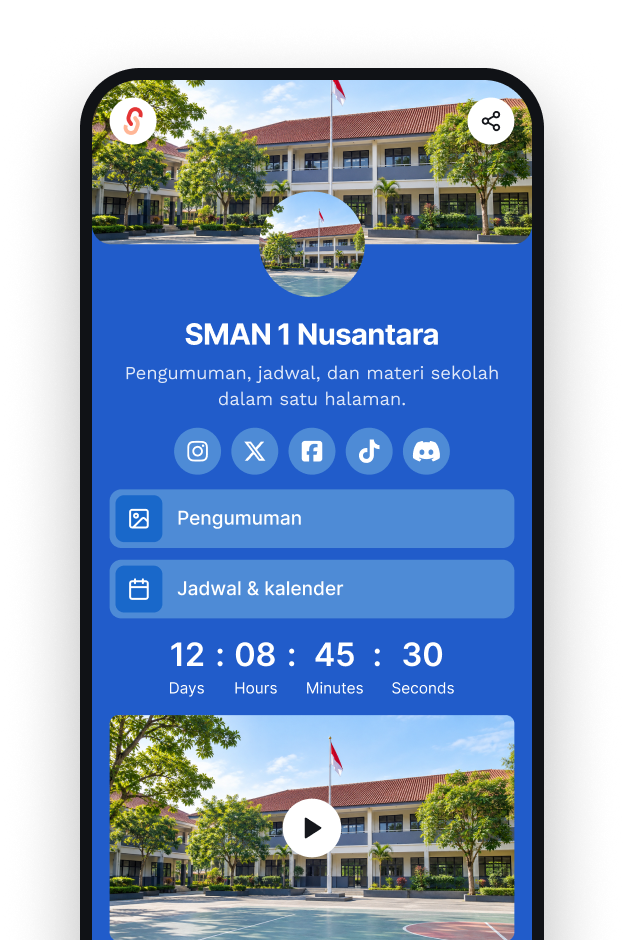
SMAN 1 Nusantara
Announcements
Schedule
Materials
School contact
Microsites for Information and Resources
Organize profiles, announcements, resources, schedules, and important links on one easy-to-update page.

Education solutions
Create microsites for information and resources, shorten form URLs, and direct QR Codes to the services used by your school. s.id improves access while data remains managed by the destination system.

Re-enrollment
Scan to open the form
s.id/
Manage information pages, share shorter URLs, and direct QR Codes to school services through s.id.
Use each product for the right function without treating s.id as an academic system or school-data repository.
Do not put names, student IDs, grades, identity documents, or other sensitive data in public aliases or microsites. Use an authenticated institutional portal for private academic data.
Explore more specific pages for schools, campuses, and education offices.
SMAN 1 Nusantara
Announcements
Schedule
Materials
School contact
Organize profiles, announcements, resources, schedules, and important links on one easy-to-update page.
Alias
s.id/
Available
Shorten form, document, exam, or official-portal URLs so they are easier to share and type.
Re-enrollment form
Download
Academic calendar
Direct students, teachers, or parents to forms, catalogs, or information pages without typing a long URL.
01 / 04 · Administration and communication
Bring announcements, re-enrollment forms, and office contacts together on one page.
School office
Announcements
Re-enrollment
Contact
02 / 04 · Learning and resource access
Collect material, assignment, and exam links so students never have to type long URLs.
Grade XI science
This week's materials
Assignments
Exam schedule
03 / 04 · Student organizations and activities
Share membership sign-ups, activities, and documentation through one link.
Student council
Member list
Agenda
Documentation
04 / 04 · Higher education
Pages for faculties, study programs, student groups, or campus activities.
Faculty of Engineering
Study program
Calendar
Student groups
Try the Free plan to create your first page or link. Quotas and advanced features depend on the plan you choose.
Fill in the school profile, announcements, schedule, and key links.
Turn form or document URLs into aliases that are easy to type.
Print the QR Code for posters, classrooms, or letters to parents.
Continue with a guide that best matches your next task.
Use each product for the right function without treating s.id as an academic system or school-data repository.